


How to Organize a Photo Album: Easy DIY Ideas for a Year of Family Memories
It's the perfect time to reflect as the year comes to an end—remembering those little moments from family trips and holiday celebrations to daily smiles at home! Rather than letting hundreds of photos scatter throughout your phone, consider putting all of your favorite memories into one photo album for everyone to enjoy!
Making a personalized photo album is easier than you think—with just a few organizing tips and some easy DIY ideas, you can create beautiful keepsakes out of your favorite pictures, decorate your home with happy memories, and enjoy a fun activity together.
In our guide below, learn how to organize your photos, arrange them beautifully, and add personal touches so each memory feels special.
1. Start by Categorizing Your Photos
Decide on an organization for your pictures before they are printed. Having a good system will make finding specific memories easy and give each album a theme.
Organize by Time
Organize photos by year, month, or date as a timeline of your life. Make an annual family album, track your baby's growth month by month, or gather everyday moments in every season. It is particularly effective for those who would like to reflect upon changes that they've experienced throughout their lives, families, etc.
Organize by Special Events
Travel adventures, weddings, birthdays, graduations, and family gatherings are worthy of their own albums. Make an album just for that event—or combine several events in one. A travel album can contain sightseeing, local food, memorable encounters, and scenic views. This way when you want to relive those experiences they will be easy to find.
Organize by Personal Achievements and Interests
Photo albums may also commemorate personal growth. Take pictures of finished projects, graduations, sporting achievements, creative hobbies, or new skills you've learned. These photos will serve as a personal record of your progress and remind you of how far you've come.
Make Your Categories Easy to Recognize
- Create separate albums or sections for different themes.
- Label them with things like "Summer Trip", "Family Time", or "Graduation".
- Include dates, locations, and name of events.
-
Organize both your digital folders and printed albums in the same way.
No complex systems needed! Pick categories that match your lifestyle – keep it simple so you can continue adding photos over time.

2. Select, Print, Arrange, and Personalize Your Photos
Now that your photos have been categorized, it is time to transform your collection into a physical album. A few simple steps will guide you in selecting the right pictures for better print results as well as creating an intuitive, personalized layout.
01
Select Your Favorite Photos
Open up the folder of your chosen category on your phone or camera and look through the pictures. Select a combination of important milestones, candid moments, group photos, scenic views and little details that will bring it all alive. You don't need perfect poses—spontaneous laughs or just sharing time with loved ones can be one of your favorite memories. Delete any duplicates and heavily blurred images as needed, but save those that have meaning behind them.
Print Your Photos
Check resolution, orientation, and crop before printing. The higher resolution original will make for clearer prints (especially if you wish to retain little details). Ensure no faces/important subjects get cropped by accident; select print size based on your album/scrapbook. When making collages using different photo sizes, it's best to print out some samples first so you know what works well as a group. A pre-print list helps prevent unnecessary duplicates while keeping things neat.
Arrange the Photos and Put Them into Your Album
Consider how you would like to present your story. For example, a travel album may start at departure and go through sightseeing and return home; or for a birthday album it may begin with party preparations and end with the celebration and group photos. Arrange all of the pictures on every page before taping them down, grouping related ones together. Combine larger highlight photos with small supporting pictures so that there is a nice flow and the album becomes fun to browse.
Personalize the Layout
It's time to make your album have its own style! Make sure there is some extra space surrounding important photos to avoid crowding up the pages. Mix in various sized photos, play with staggering them just a little bit, and add space for captions/dates/decorative labels. Use a few common colors/designs throughout the album to keep things cohesive but not all the same. Try out a few different layouts before you attach anything permanently – pick what fits your memories and personality best.
3. Three Creative Ideas to Personalize Your Photo Displays
After you've sorted out your photos and have a basic layout, why not go one step further with your creativity? There's so much that can be done beyond just putting pictures in an album: how about turning your favorite moments into personal keepsakes or decorations? Here are 3 creative ideas to spark your next DIY project!
Idea 1: Cut and Combine Photos for a Creative Collage
You don't have to keep photoe in their original rectangle shape. Cut out some subjects or details from pictures and put it together with others for fun collages! You might want to put a cutout of yourself on top of a travel landscape; merge multiple snapshots into one page, or even mix up photos with maps, tickets and other little souvenirs!
Try mixing different sizes and angles to add depth and movement. Remember that you should keep the main subjects recognizable, and make sure to copy over your original pictures while cutting so as not lose the unedited ones.

Idea 2: Add Labels That Tell the Story Behind Each Photo
Photo freezes time, but just a few words will revive that story. Include the date and location, name those pictured, or write one sentence describing what happened. Rather than calling it "Paris, France", include a little note about finding a favorite café or going off course looking for a landmark.
Use information labels (dates/location), story labels (personal memories) or themed ones like "Summer Adventures" and "Little Moments" so all your pages have a consistent look. Handwritten notes make it personal; printed labels provide a neat, coordinated finish. In either case, they transform your collection of pictures into a story worth revisiting.

Idea 3: Create DIY Picture Frames with Personalized Photo Labels
Your favorite memories don’t need to be stored in an album. Turn a meaningful photo into a DIY picture frame that goes perfectly on your desk, bedside table, bookshelf, or living room. Pick a picture, put it onto a piece of backing paper or inside a frame and add some decoration around it – like dates, names, memorable quotes, or a special message.
Make a photo collage on a wall, decorate a notebook with miniature pictures, or make a personalized display for a family celebration. Add printed labels so your projects are looking more polished and coordinated, and unique all at once!
NIIMBOT provides two home-friendly label printers B21 Pro and B2 Pro both with 300 dpi printing precision and supports photo printing which allows you to print personalized photo prints as well as information labels and story labels for your DIY projects. Whether you want to add a date to a picture frame, print a caption for a scrapbook, or create a photo display on your wall - you can always personalize your designs when inspiration hits!
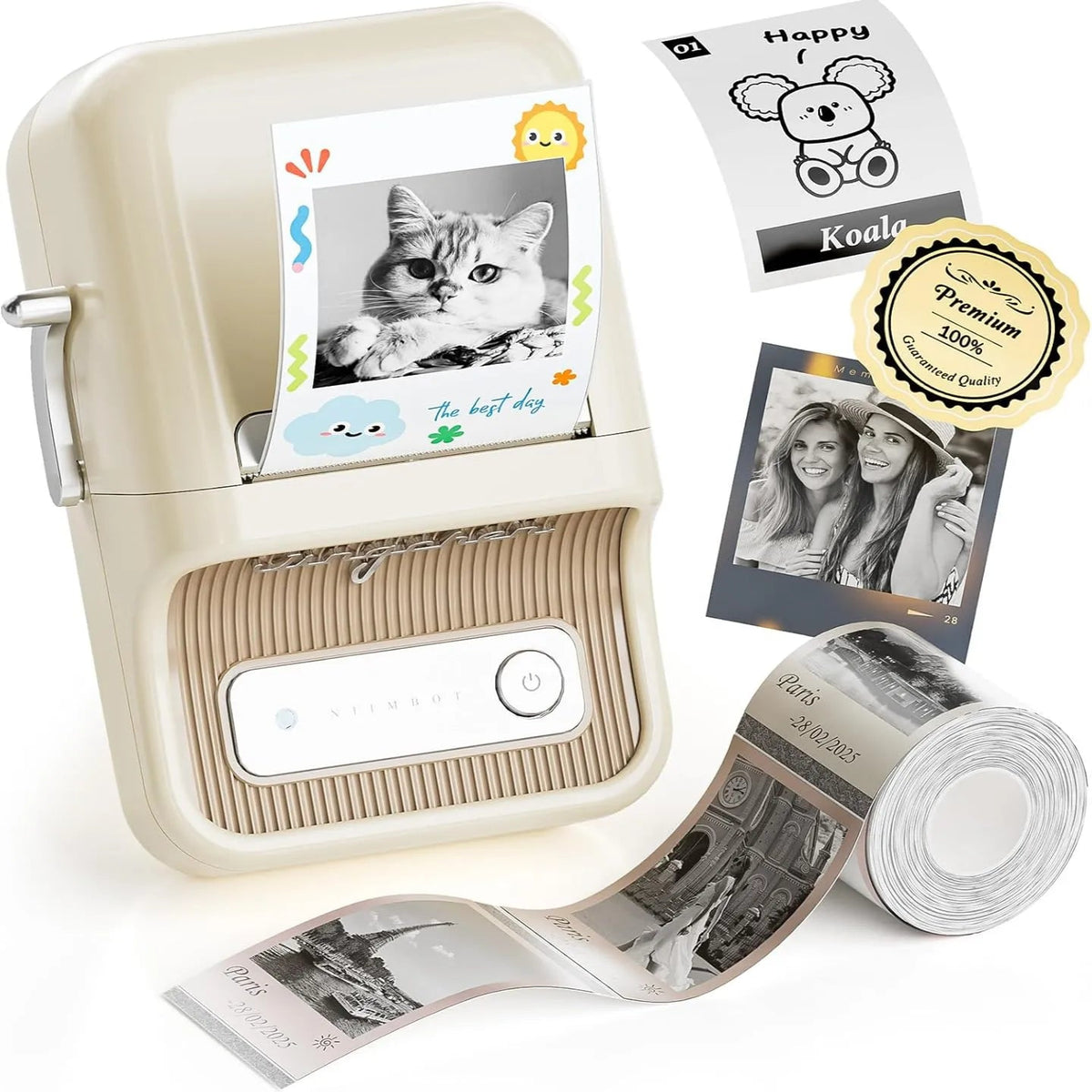
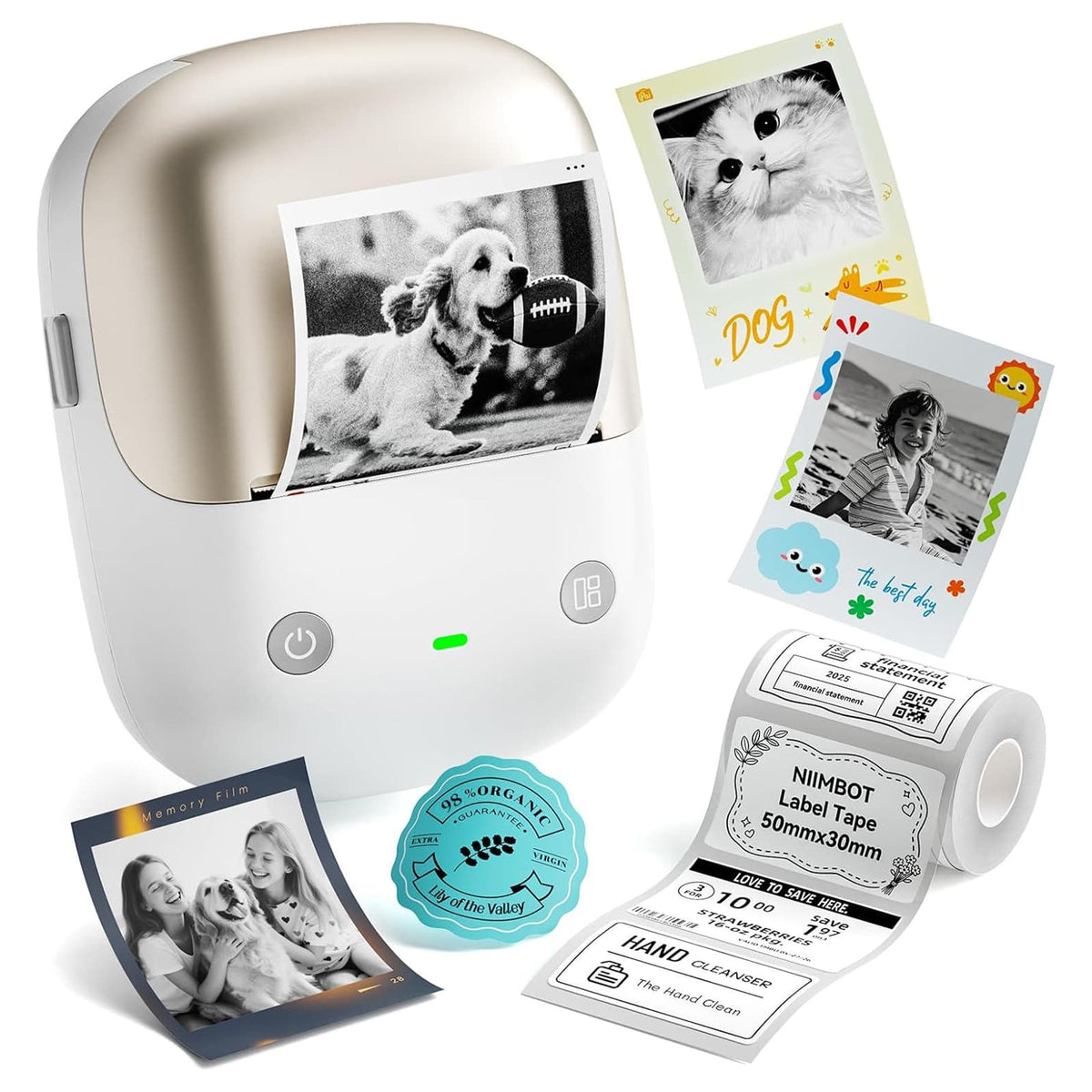
Using the NIIMBOT app, you are able to customize your content and create labels suitable for your project. You can print photos and captions on a dedicated picture frame, add memories to the pages of a notebook, or decorate a wall with a set of meaningful moments. Both printers offer 300 dpi printing precision so they will bring your creative ideas to life at a convenient home setup.
You can turn DIY photo projects into a fun family activity too! Pick out favorite pictures together, print the moments everyone loves, and decorate your home as a team. Children can choose photos and arrange decorations, and family members can add captions and stories to the pictures. These shared creative moments can be beautiful memories themselves.
The best thing about it? Your photos no longer need to sit forgotten in a digital folder. Personalized prints and labels allow you to bring your favorite memories into your everyday surroundings and make them part of your home.
Conclusion: Celebrate a Year of Memories Together
It's wonderful to look back at the moments that brought your family joy as we approach the end of the year. Organize your photos, select your favorite prints, and add some simple creative touches so your collection of digital pictures becomes something meaningful for all to enjoy. Make a scrapbook, add personalized labels, or build a DIY picture frame—no detail too small when it comes to making your memories more special!
Using the NIIMBOT B21 Pro and B2 Pro, you can print photos and personalized labels to bring your ideas to life. Bring your family together, pick out the moments you love most, and spend an afternoon doing something together! You're going to have more than just a collection of pictures in your finished album or photo display—you are going to have a warm reminder of the year you shared and the happy moments you'll continue to make.
FAQ About Photo Album Organization
1. How can I make my photo album more creative?
Photo cutouts, collages, different print sizes, and personalized captions. Dates, locations, short stories, and a few coordinating decorations will add personality to your album. Leave some blank space for ease of browsing through your pages.
2. Why should I add labels next to my photos?
Labels retain information pictures might not convey like when/where they were taken, who is featured, or why it's so special. Labels contribute to creating a cohesive look across your album. Handwriting your notes or printing out personalized labels will give you a clean, coordinated aesthetic.
3. How can I use the NIIMBOT B21 Pro and B2 Pro for photo album DIY projects?
Labels contain information that pictures can't tell us such as when/where they were taken, who is in them and why it's so special. Labels help create cohesion for your album. Writing your own notes by hand or printing out personalized labels gives you a clean, coordinated aesthetic.


Leave a comment